Screenshots
App details
- Version
- 0.1
- Size
- 32.77 KB
- Updated
- December 13, 2008
- Requires
- Windows XP
- Language
- English
- License
- Free
- Developer
- Fatmanone
- Category
- Windows OS
SoftPas in:
This product is also available in the following languages:
About VirtualScreenMaximizer
Download VirtualScreenMaximizer – Free Multi-Monitor Window Maximizer for Windows & Mac
Looking for a way to maximize windows across multiple monitors seamlessly? VirtualScreenMaximizer is a lightweight, free tool designed specifically for users with dual or multi-monitor setups. Unlike standard Windows or macOS behavior, which maximizes apps within a single screen, VirtualScreenMaximizer allows you to expand any window across all connected displays. Whether you're working with a 2-monitor setup or a sprawling 8x8 video wall, this software makes it easy to fully utilize your screen real estate. The app runs quietly in the system tray, consuming minimal resources, and offers customizable hotkeys for instant window maximization. Perfect for content creators, developers, and multitaskers, it’s an essential utility for anyone who wants to eliminate screen boundaries and boost productivity.
Why VirtualScreenMaximizer Stands Out in Multi-Monitor Productivity
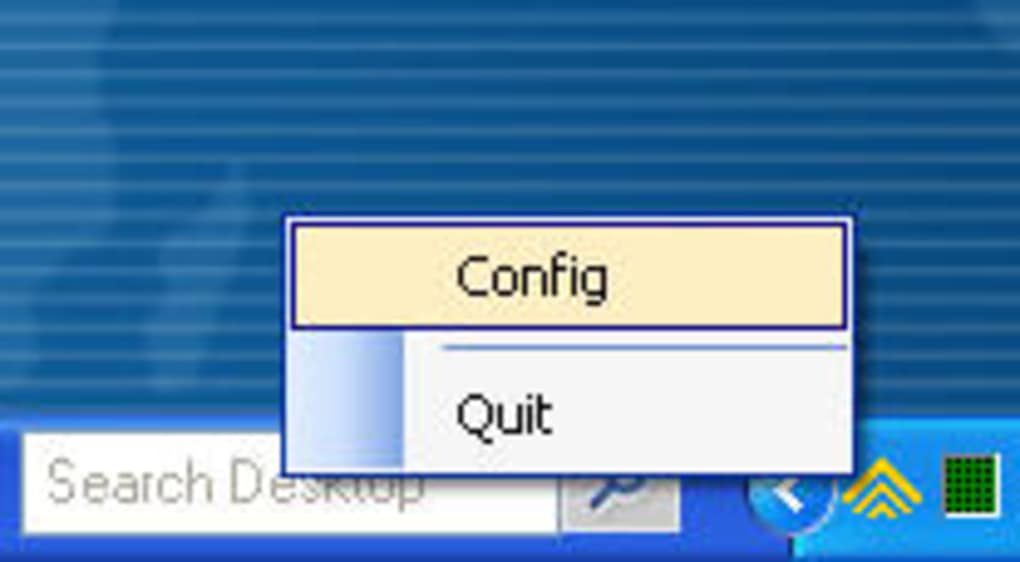
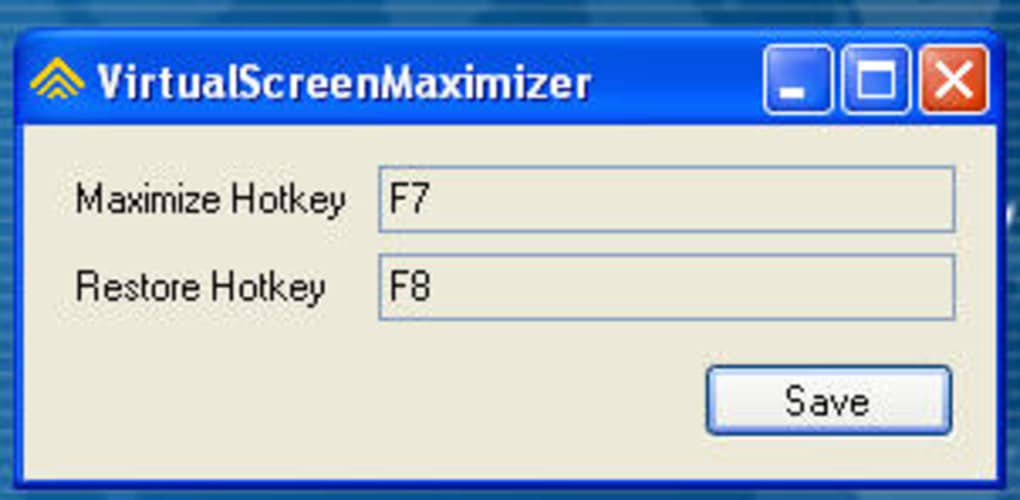
In today’s digital workspace, having multiple monitors is no longer a luxury—it’s a necessity for professionals who juggle complex workflows. However, one persistent limitation remains: the inability to maximize a single application window across all connected screens. Most operating systems restrict maximization to the active monitor, leaving gaps and fragmented views. This is where VirtualScreenMaximizer shines. This tiny yet powerful tool removes that barrier with a single click—or rather, a single hotkey press. Once installed, the application runs in the background, represented by a small icon in the system tray. Right-clicking this icon lets you assign your preferred keyboard shortcut, such as Ctrl+Shift+M, to trigger full-screen expansion across all displays. The beauty of VirtualScreenMaximizer lies in its simplicity. It doesn’t try to be everything—a window manager, a screen saver, or a task scheduler. Instead, it focuses on one core function: maximizing windows across multiple screens. For users working with video editing software, data visualization tools, or presentation software, this feature is transformative. Imagine opening a 4K video file across three monitors and having it fill every inch without distortion or manual resizing. Or, for developers, stretching a code editor across two screens for better readability and navigation. The app supports both Windows and Mac, making it accessible to a wide range of users. Importantly, it’s completely free to download and use, with no trial periods, ads, or hidden fees. It’s a rare gem in the world of productivity tools—efficient, secure, and focused.Easy Installation & Intuitive Usage for All Skill Levels
Getting started with VirtualScreenMaximizer is effortless, even for users with minimal technical experience. The software is distributed as a standalone .exe file (for Windows) and a .dmg installer (for Mac), meaning there’s no need for complex setup procedures or administrator privileges. Simply download the file from the official site, double-click to open, and follow the brief on-screen instructions. The entire process takes less than a minute. Once installed, the app launches silently in the system tray, where it remains unobtrusive until needed. To use it, open any application window—be it a browser, media player, or document editor—and press the hotkey you’ve assigned. Instantly, the window will expand to cover all connected monitors, seamlessly blending across the display boundary. This works flawlessly with both horizontal and vertical monitor arrangements. You can also disable the feature at any time by pressing the minimize hotkey or right-clicking the system tray icon to exit. The interface is minimal but functional, with clear options to change the hotkey, enable/disable auto-start on boot, and view the current status. No tutorials are required—this is truly a “plug and play” solution. The software is also lightweight, using under 10MB of RAM and negligible CPU, ensuring it won’t slow down your system. Whether you're a student, designer, or remote worker, VirtualScreenMaximizer integrates smoothly into your daily routine without disruption.Compatibility & System Requirements
VirtualScreenMaximizer is designed to work across a wide range of modern operating systems, ensuring broad accessibility. It supports Windows 7 and later, including Windows 10 and Windows 11, both 32-bit and 64-bit versions. For Mac users, the software is compatible with macOS 10.14 (Mojave) and later, including Apple Silicon (M1/M2) Macs. This cross-platform support makes it ideal for mixed environments or users who switch between devices. The app works with any number of monitors—whether you have two, four, or even eight connected displays—and adapts dynamically to changes in your setup. If you disconnect a monitor or rearrange your screens, VirtualScreenMaximizer automatically recalibrates the maximization behavior. No additional software or drivers are required—just the base OS and a standard keyboard. The tool is particularly useful for professionals using high-resolution displays, such as 4K or 5K monitors, where maximizing content across screens enhances clarity and immersion. It also works well with external hardware like docking stations and USB-C hubs. Importantly, the software is secure and open-source, meaning its code is publicly available for review, reducing the risk of malware or data leaks. Updates are released regularly to ensure compatibility with new OS versions and to fix minor bugs. Users can download the latest version directly from the official site, ensuring they always have access to the most stable and secure build.Key Features of VirtualScreenMaximizer
- Maximize windows across all monitors with a single hotkey
- Lightweight & low resource usage (under 10MB RAM)
- Customizable hotkeys for easy access
- Runs in system tray – unobtrusive and always ready
- Supports Windows & Mac – cross-platform compatibility
- Auto-start on boot for seamless use
- Open-source & secure – transparent codebase
Pros & Cons
- Pros:
- Free to download and use
- Extremely lightweight and fast
- Perfect for video, design, and data work
- Simple, intuitive interface
- Regular updates and strong security
- Cons:
- Limited to window maximization only
- No advanced window management features
- No built-in customization for layout or positioning
- Only supports keyboard hotkeys (no mouse integration)
- Minimal documentation beyond basic setup
Frequently Asked Questions (FAQ)
What does VirtualScreenMaximizer do?
VirtualScreenMaximizer allows you to maximize any application window across all connected monitors, breaking the traditional single-screen maximization limit. Ideal for multi-monitor users who want to extend their workspace.
Is VirtualScreenMaximizer free?
Yes, it’s completely free to download and use with no hidden costs, ads, or trial periods.
Does it work on Mac and Windows?
Yes, it supports both Windows 7+ and macOS 10.14+ (including Apple Silicon Macs).
Can I customize the hotkey?
Absolutely. You can assign any keyboard shortcut via the system tray menu to trigger maximization.
Does it work with video walls or 8x8 setups?
Yes, it’s especially useful for large-scale display setups like video walls, where full-screen expansion across multiple monitors is essential.
Is the software secure?
Yes, it’s open-source and lightweight, with no known vulnerabilities. Regular updates ensure ongoing security.
Final Verdict: A Must-Have for Multi-Monitor Users
For anyone with a dual or multi-monitor setup, VirtualScreenMaximizer is a game-changer. While it doesn’t offer advanced window management or automation features, it excels at one thing: maximizing windows across all screens with ease. Its simplicity, speed, and reliability make it a standout tool in a crowded market. Whether you're a video editor, data analyst, or remote worker, this app helps you make the most of your screen space. It’s secure, free, and updates regularly—making it a trustworthy addition to your digital toolkit. If you’ve ever wished your apps could stretch across multiple displays, this is the solution you’ve been waiting for. Download VirtualScreenMaximizer today and unlock the full potential of your multi-monitor setup!Guides & Tutorials
How to install VirtualScreenMaximizer
- Click the Download button above.
- Once redirected, accept the terms and click Install.
- Wait for the VirtualScreenMaximizer download to finish on your device.
How to use VirtualScreenMaximizer
This software is primarily used for its core features described above. Open the app after installation to explore its capabilities.
User Reviews
No reviews yet. Be the first to share your experience.
You may also like
more
Llama 2
Free-to-use large language model As the new addition to Meta’s arsenal of langua...

NotebookLM
Revolutionizing the note-taking and idea-generation process NotebookLM is an exp...

Github co pilot
AI-inspired software development and coding platform GitHub Copilot is a browser...

Google Gemma
Google’s lightweight AI models Introducing Google Gemma , a family of cutting-ed...

AI Image Enlarger
A free app for Windows, by ai-image-larger. AI Image Enlarger is a free software...

DALL E
AI-driven text-to-image transformation engine DALL·E is a free graphic and desig...